Fake Camera - Free1.0
Publisher Description
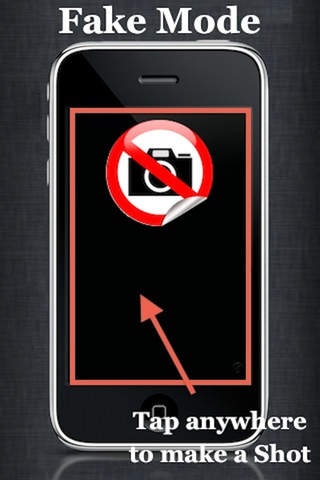
Have you ever wanted to take pictures without anyone noticing?
This app guarantees you to remain 100% undercover.
FakeCamera can take pictures by Fake Mode (Black Screen).
FEATURES
Fake Mode (Black Screen)
High resolution mode supported
Big Button Function (Tap anywhere to make a Shot)
Timer
Multi-Shot
User-friendly Interface
Supports functions such as built-in camera
- Auto Focus
- Auto Exposure
- Auto White Balance
- Front-facing camera support
attention
This application program doesn't operate in iPhone3G.
It operates in iPhone3GS, iPhone4G, and the iPod Touch4 generation.
NOTE: PLEASE USE THIS APP ONLY WHERE PHOTOGRAPHY IS PERMITTED.
There are definitely NO LIMITS to your imagination!
Requires iOS 4.0 or later. Compatible with iPhone, iPad, and iPod touch.
About Fake Camera - Free
The company that develops Fake Camera - Free is ByoungHun Jang. The latest version released by its developer is 1.0.
To install Fake Camera - Free on your iOS device, just click the green Continue To App button above to start the installation process. The app is listed on our website since 2012-05-18 and was downloaded 46 times. We have already checked if the download link is safe, however for your own protection we recommend that you scan the downloaded app with your antivirus. Your antivirus may detect the Fake Camera - Free as malware if the download link is broken.
How to install Fake Camera - Free on your iOS device:
- Click on the Continue To App button on our website. This will redirect you to the App Store.
- Once the Fake Camera - Free is shown in the iTunes listing of your iOS device, you can start its download and installation. Tap on the GET button to the right of the app to start downloading it.
- If you are not logged-in the iOS appstore app, you'll be prompted for your your Apple ID and/or password.
- After Fake Camera - Free is downloaded, you'll see an INSTALL button to the right. Tap on it to start the actual installation of the iOS app.
- Once installation is finished you can tap on the OPEN button to start it. Its icon will also be added to your device home screen.
